
As of WordPress 6.9, core block styles are loaded inline as part of the HTML page. The positive is that WordPress core now only loads CSS when needed. The negative is that simply inlining everything, depending on your Perfmatter settings, could make it perform worse. On one site, we saw a 15% increase in the total HTML page size, and this resulted in higher LCP.
This depends on the loading method you are using with Perfmatters Remove Unused CSS. If you are using the “file” method, we recommend changing the block style behavior below. If you are using the “inline” method, the new WordPress 6.9 change should result in less CSS.
Change block style loading behavior
Follow the steps below to change the block style loading behavior on your WordPress site.
Step 1
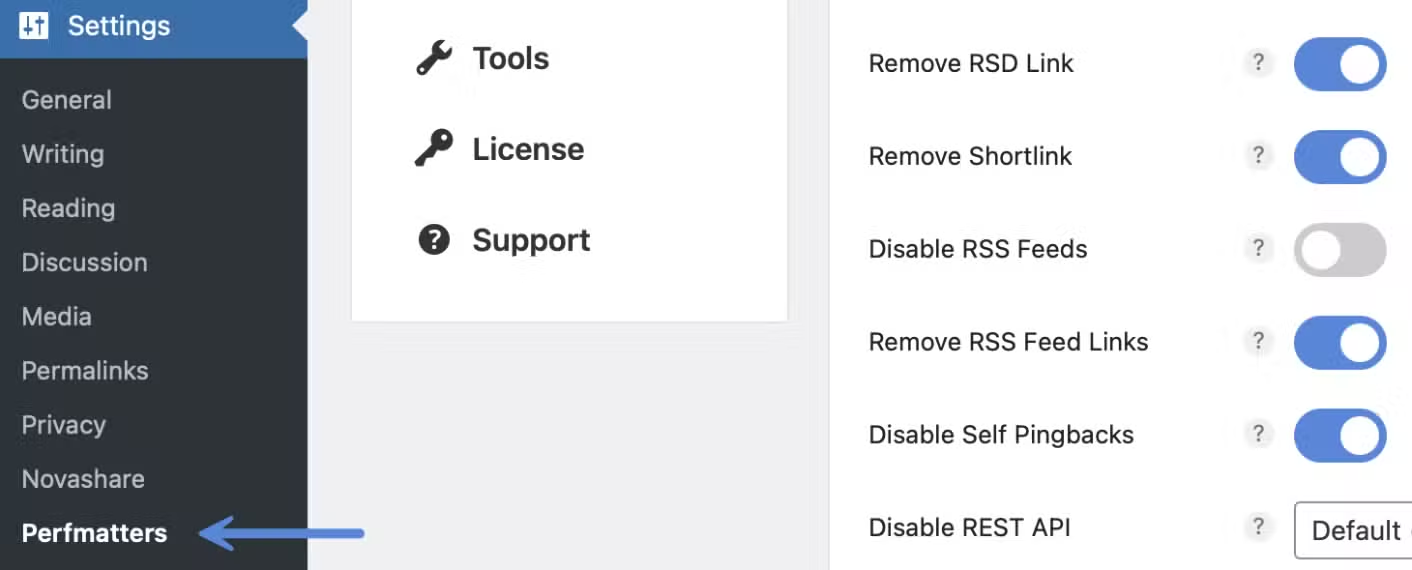
Click into the Perfmatters plugin settings.
Step 2
Make sure you’re on the “General” menu.

Step 3
Scroll down and under “Block Style Behavior,” you can change it from the default back to “Load Global Stylesheet.”

Step 4
Scroll down and click “Save Changes.”
