
When it comes to debugging, it can be helpful to test with Perfmatters off quickly to rule out a problem. This saves time from toggling settings off in the plugin or temporarily deactivating it. You can use safe mode or query strings.
Safe mode
Safe mode allows you to quickly disable all Perfmatters optimizations sitewide for troubleshooting. Security-related options and code snippets will remain active. Follow the steps below.
Step 1
Click into the Perfmatters plugin settings.
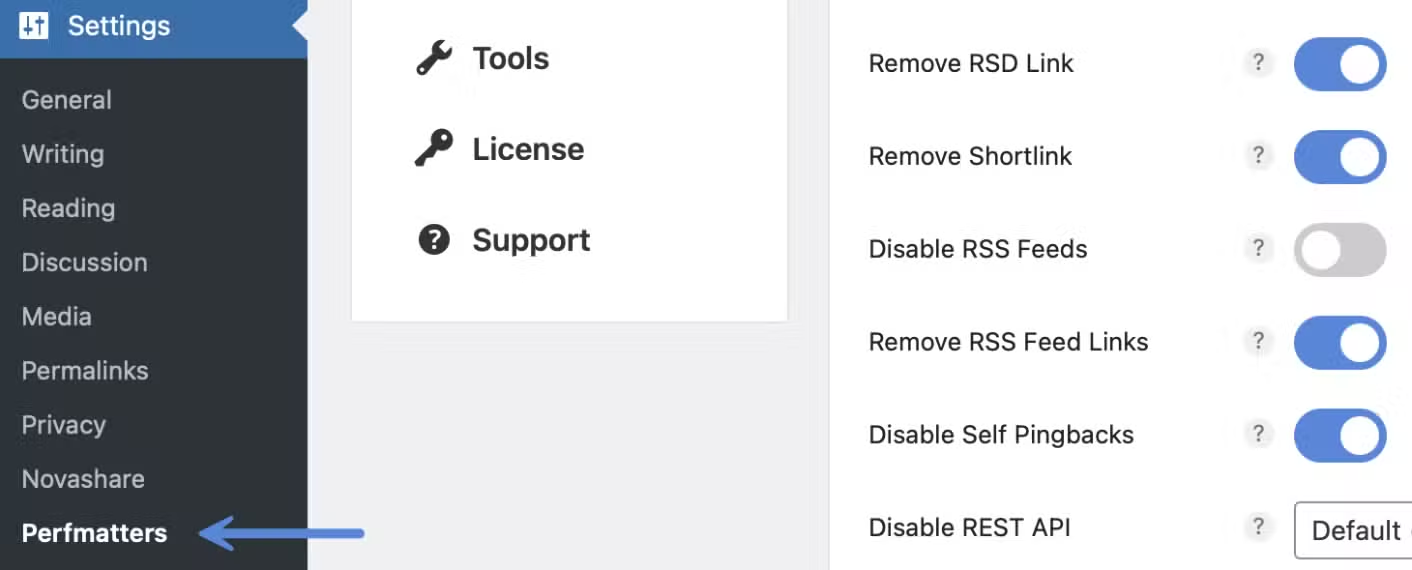
Step 2
Click on the “Tools” menu.

Step 3
Under the plugin section, toggle on “Safe Mode.”

Step 4
Scroll down and click “Save Changes.”
You will see a safe mode warning inside of the Perfmatters plugin settings area until safe mode is turned back off.

Test with Perfmatters off using query strings
If you don’t want to use safe mode, you can also turn Perfmatters off on individual URLs to troubleshoot issues. To turn Perfmatters off, add the following query string to the end of a URL:
?perfmattersoffThis turns off features in our global buffer, which includes the following:
- Delay JS
- Defer JS
- Minify JS
- Remove Unused CSS
- Minify CSS
- Lazy loading
- Preloading
- Local Google Fonts
- Disable Dashicons
- Disable Emojis
- Disable Embeds
- Remove jQuery Migrate
- Disable Google Maps
- Remove Global Styles
- Separate Block Styles
- Disable WooCommerce Scripts
- Disable Cart Fragmentation
- CDN rewrite
Note: Anything not included is due to security.
Test with JS features off
To test with the Delay JS, Defer JS, and Minify JS features off, add the following query string to the end of a URL:
?perfmattersjsoffTest with CSS features off
To test with the Unused CSS and Minify CSS features off, add the following query string to the end of a URL:
?perfmatterscssoff